Etherpad 是什么
Etherpad 是一款基于 Node.js 的开源实时协作编辑器,能让很多人同时在线编辑,团队用它写文章、新闻稿、会议记录或者待办事项都很方便。跟 Google Docs 比,它最大的优点是数据可以自己管,扩展性也很强。
本文不重复官方文档里那些基础的东西,而是结合实际,好好讲讲怎么开发一个集成了“富文本、组件化内容、多渠道发布”的插件。
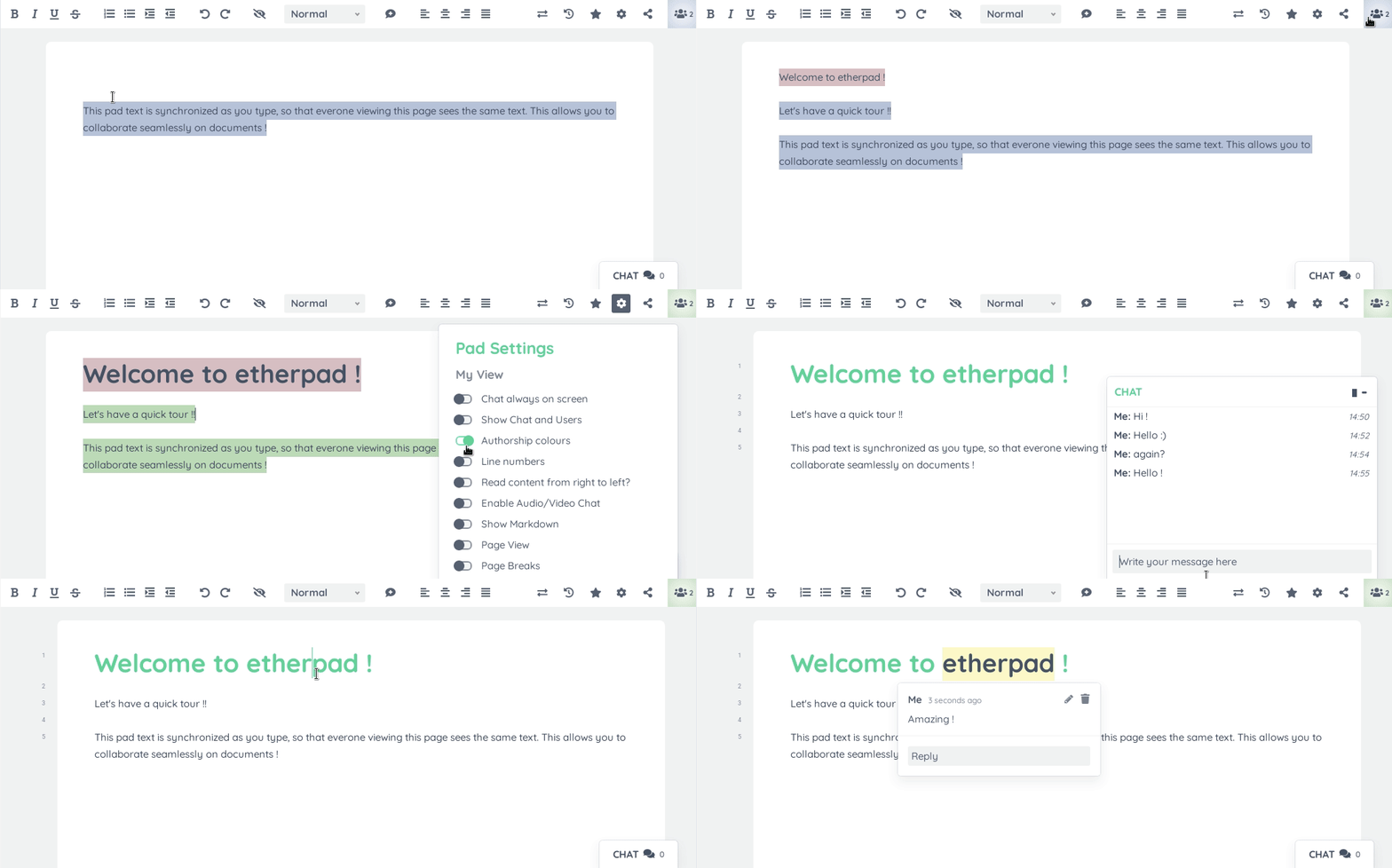
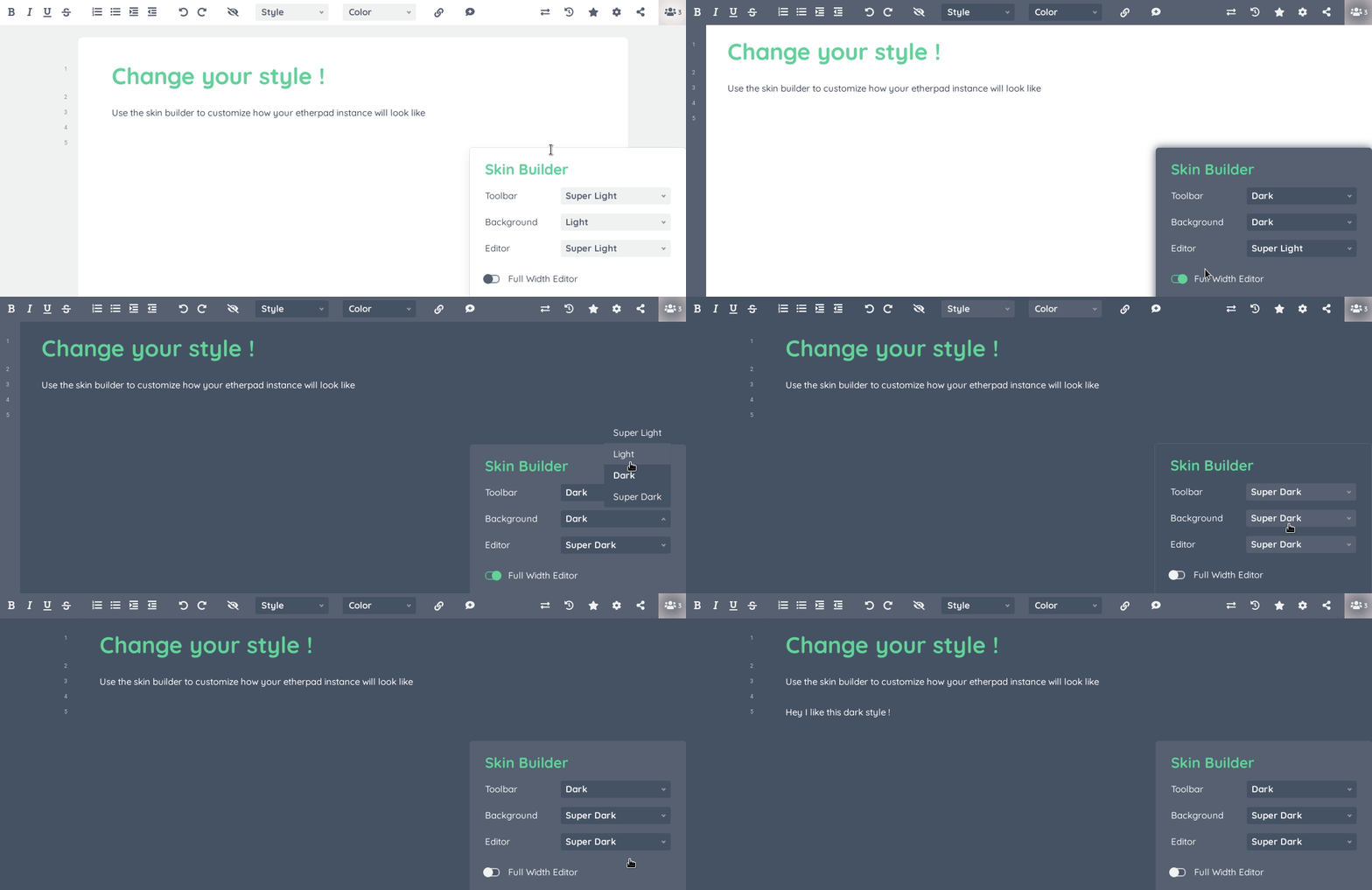
Etherpad 大概长这样:
技术架构
Etherpad 用的是全栈 JavaScript,靠 Socket.io 做实时通信,还用 OT 算法解决多人同时编辑的冲突。
前端 (jQuery + Ace2):页面用 jQuery 搭,编辑器核心是用 iframe 装着的 Ace2(基于 contentEditable 做的),负责接收输入,生成 Changeset。
后端 (Node.js + UeberDB):负责管 WebSocket 连接,合并 Changeset,然后广播出去。
插件系统 (Hook):系统在关键的地方(比如 padInitToolbar, getLineHTMLForExport)留了 Hook 让你加东西。
插件怎么做?
官方建议一个功能搞一个 npm 包,但如果要深度定制,这样做太麻烦了。建议建一个插件合集(比如叫 ep_plugins)。
我做的这个插件集合主要有三件事:
- 增强编辑器 (Ace):加了字体颜色、荧光笔、高亮字号、超链接、图片(包括删除)、图片脚注这些功能。
- 内容组件化:用“自定义标签(
<ep-*>)”来放复杂的内容(题图卡片、主题卡片、往期阅读卡片、公众号关注卡片、腾讯视频、文章目录</ep-*>等等),在编辑器里看着就像可以编辑的文本,导出或者发布的时候再解析成 HTML。 - 发布和外部系统整合:把 Etherpad 的内容变成 Markdown,再变成不同渠道(微信公众号 / WordPress)的 HTML,通过后端接口发出去,还提供预览和一键复制功能。
设计思路:
- 编辑的时候:用 Etherpad 的 attribute(changeset attribution)存样式信息(比如:
color=#f13b03、url=https://...),然后在 Ace 渲染的时候转成 CSS class 或者 DOM 结构,这样编辑起来更顺手。 - 导出/同步的时候:从 pad 的 AText(文本 + attribution)生成“增强版 Markdown”,把样式/组件用
<ep-*>标签留着;然后用marked和自定义扩展把<ep-*>变成不同渠道的 HTML。
开发行内样式(拿“字体颜色”举例)
行内样式开发流程:UI 触发 → 写入属性 → 渲染样式。
注册 UI 和写入属性 (Client Side)
先在工具栏注册按钮,然后监听下拉框的变化,调用 documentAttributeManager 写入数据。
// static/js/index.js

// 1. 监听工具栏初始化 (Hook: postToolbarInit)
exports.postToolbarInit = (hook, context) => {
  const toolbar = context.toolbar;

  // 注册下拉框变化事件
  toolbar.registerCommand("fontColor", value => {
    const ace = context.ace;
    ace.callWithAce(
      ace => {
        // 给当前选区打上 color 属性
        ace.ace_setAttributeOnSelection("color", value);
      },
      "fontColor",
      true
    );
  });
};
将属性映射为 CSS Class (Client Side)
Etherpad 默认不认识 color 属性,需要我们告诉它如何渲染。
// static/js/index.js

// 2. 属性转 Class (Hook: aceAttribsToClasses)
exports.aceAttribsToClasses = (hook, context) => {
  // 如果属性名是 color,生成 .color__#xxxxxx 的 class
  if (context.key === "color") {
    return [`color__${context.value.replace("#", "")}`];
  }
};

// 3. 注入 CSS 样式 (Hook: aceInitInnerdocbodyHead)
// 注意:样式必须注入到 ace_inner iframe 中
exports.aceInitInnerdocbodyHead = (hook, context) => {
  return [
    `
    <style>
      /* 动态匹配所有颜色 class */
      [class*="color__"] { display: inline; }
      /* 这里通常需要动态生成 CSS,或者使用 CSS 变量方案 */
      .color__f13b03 { color: #f13b03; }
    </style>
  `,
  ];
};
内容组件化(自定义标签 DSL)
对于题图、目录、视频等复杂内容,我们使用 自定义标签(Custom Tags) 作为载体。
Marked 扩展构建器
为了让系统能识别 <ep-toc> 或 <ep-url>,我们需要扩展 marked 解析器。这是整个组件化系统的基石。
build-marked-extension.js
const cheerio = require("cheerio");

/**
 * 创建 marked 自定义扩展,实现自定义 block token
 * @param {string} name token 名字
 * @param {string} tagName 标签名字
 * @param {Function} renderer 渲染器
 * @returns
 */
function buildCustomBlockTokenExtension(name, tagName, { renderer }) {
  return {
    name,

    level: "block",

    tokenizer(src) {
      const rule = new RegExp(
        `^<ep-${tagName}\\b[^>]*>\\n([\\s\\S]*?)\\n<\\/ep-${tagName}>`
      );

      const match = rule.exec(src);

      if (match) {
        const $ = cheerio.load(`<body>${match[0]}</body>`);

        const attrs = getAllAttributes($(`body > ep-${tagName}`).get(0));

        const token = {
          type: name,
          raw: match[0],
          text: match[1].trim(),
          tokens: [],
          attrs,
        };

        this.lexer.blockTokens(token.text, token.tokens);

        return token;
      }

      return undefined;
    },

    renderer,
  };
}

/**
 * 创建 marked 自定义扩展,实现自定义 inline token
 * @param {string} name token 名字
 * @param {string} tagName 标签名字
 * @param {Function} renderer 渲染器
 * @returns
 */
function buildCustomInlineTokenExtension(name, tagName, { renderer }) {
  return {
    name,

    level: "inline",

    start(src) {
      return src.match(new RegExp(`<ep-${tagName}>`))?.index;
    },

    tokenizer(src) {
      const rule = new RegExp(
        `^<ep-${tagName}\\b[^>]*>((?:(?!<\\/ep-${tagName}>)[\\s\\S])*?)<\\/ep-${tagName}>`
      );

      const match = rule.exec(src);

      if (match) {
        const $ = cheerio.load(`<body>${match[0]}</body>`);

        const attrs = getAllAttributes($(`body > ep-${tagName}`).get(0));

        return {
          type: name,
          raw: match[0],
          text: match[1].trim(),
          tokens: this.lexer.inlineTokens(match[1].trim()),
          attrs,
        };
      }

      return undefined;
    },

    renderer,
  };
}

/**
 * 使用自定义标签包裹
 * @param {string} tagName
 * @param {string} content
 * @param {object} attrs
 * @returns
 */
function useCustomTag(tagName, content, attrs = {}) {
  const contentText = content ? `\n${content}\n` : "";

  if (Object.keys(attrs).length) {
    const attrsText = Object.entries(attrs)
      .map(([k, v]) => `${k}="${v}"`)
      .join(" ");

    return `<ep-${tagName} ${attrsText}>${contentText}</ep-${tagName}>`;
  }

  return `<ep-${tagName}>${contentText}</ep-${tagName}>`;
}

const getAllAttributes = function (node) {
  const attributes =
    node.attributes ||
    Object.keys(node.attribs).map(name => ({
      name,
      value: node.attribs[name],
    }));

  return attributes.reduce((acc, cur) => {
    return {
      [cur.name]: cur.value,
      ...acc,
    };
  }, {});
};

module.exports = {
  buildCustomBlockTokenExtension,
  buildCustomInlineTokenExtension,
  useCustomTag,
};
实现 TOC 目录组件
利用上面的构建器,我们可以快速定义一个目录组件的渲染逻辑。
// 注册 TOC 扩展
const { marked } = require("marked");
const { buildCustomBlockTokenExtension } = require("./build-marked-extension");

const tocExtension = buildCustomBlockTokenExtension("toc", "toc", {
  renderer(token) {
    // token.text 内容示例:"🧩:: 第一节标题\n🔍:: 第二节标题"
    const items = token.text.split("\n").filter(Boolean);

    const html = items
      .map(line => {
        const [emoji, text] = line.split("::");
        return `<div class="toc-item"><span>${emoji}</span><a>${text}</a></div>`;
      })
      .join("");

    return `<section class="toc-container">${html}</section>`;
  },
});

// 加载扩展
marked.use({ extensions: [tocExtension] });
多渠道发布系统 (Send2CMS)
这是最复杂的模块:将 Pad 的 AText 数据转换为“增强版 Markdown”,再渲染为 HTML。
AText 转增强 Markdown
我们需要编写转换器,遍历 AText 的 attribs,将 color 属性还原为 <ep-color> 标签。
get-pad-markdown-document.js (点击展开)
const Changeset = require("ep_etherpad-lite/static/js/Changeset");
const padManager = require("ep_etherpad-lite/node/db/PadManager");
const { CUSTOM_TAGS } = require("../config");
const { correctLink } = require("./index");
const getCloseableTags = apool => {
const normalTags = ["**", "*", ["<u>", "</u>"], "~~"];
const normalProps = ["bold", "italic", "underline", "strikethrough"];
const customAttrs = [
CUSTOM_TAGS.COLOR,
CUSTOM_TAGS.HIGHLIGHT,
CUSTOM_TAGS.FONT_SIZE,
CUSTOM_TAGS.URL,
CUSTOM_TAGS.IMAGE_CAPTION,
];
const customProps = [];
apool.eachAttrib((k, v) => {
if (customAttrs.includes(k)) {
if (v !== "false") {
customProps.push([k, v]);
}
}
});
const props = [...normalProps.map(p => [p, true]), ...customProps];
const tags = [
...normalTags.map(tag => {
const tags = Array.isArray(tag) ? tag : [tag, tag];
const [open, close] = tags;
return {
open,
close,
};
}),
...customProps.map(([k, v]) => ({
open: `<ep-${k} ${k}="${v}">`,
close: `</ep-${k}>`,
})),
];
const anumMap = {};
props.forEach(([propName, propValue], i) => {
const propTrueNum = apool.putAttrib([propName, propValue], true);
if (propTrueNum >= 0) {
anumMap[propTrueNum] = i;
}
});
return { props, tags, anumMap };
};
const getMarkdownFromAtext = (pad, atext) => {
const apool = pad.apool();
const textLines = atext.text.slice(0, -1).split("\n");
const attribLines = Changeset.splitAttributionLines(
atext.attribs,
atext.text
);
const { tags, props, anumMap } = getCloseableTags(apool);
props.forEach((propName, i) => {
const propTrueNum = apool.putAttrib([propName, true], true);
if (propTrueNum >= 0) {
anumMap[propTrueNum] = i;
}
});
const headingtags = [
"# ",
"## ",
"### ",
"#### ",
"##### ",
"###### ",
" ",
];
const headingprops = [
["heading", "h1"],
["heading", "h2"],
["heading", "h3"],
["heading", "h4"],
["heading", "h5"],
["heading", "h6"],
["heading", "code"],
];
const headinganumMap = {};
headingprops.forEach((prop, i) => {
let name;
let value;
if (typeof prop === "object") {
[name, value] = prop;
} else {
name = prop;
value = true;
}
const propTrueNum = apool.putAttrib([name, value], true);
if (propTrueNum >= 0) {
headinganumMap[propTrueNum] = i;
}
});
const getLineMarkdown = (text, attribs) => {
const propVals = [false, false, false];
const ENTER = 1;
const STAY = 2;
const LEAVE = 0;
// Use order of tags (b/i/u) as order of nesting, for simplicity
// and decent nesting. For example,
// <b>Just bold<b> <b><i>Bold and italics</i></b> <i>Just italics</i>
// becomes
// <b>Just bold <i>Bold and italics</i></b> <i>Just italics</i>
const taker = Changeset.stringIterator(text);
let assem = Changeset.stringAssembler();
const openTags = [];
const emitOpenTag = i => {
openTags.unshift(i);
assem.append(tags[i].open);
};
const emitCloseTag = i => {
openTags.shift();
assem.append(tags[i].close);
};
const orderdCloseTags = tags2close => {
for (let i = 0; i < openTags.length; i++) {
for (let j = 0; j < tags2close.length; j++) {
if (tags2close[j] === openTags[i]) {
emitCloseTag(tags2close[j]);
i--;
break;
}
}
}
};
// start heading check
let heading = false;
let deletedAsterisk = false; // we need to delete * from the beginning of the heading line
const iter2 = Changeset.opIterator(Changeset.subattribution(attribs, 0, 1));
if (iter2.hasNext()) {
const o2 = iter2.next();
// iterate through attributes
Changeset.eachAttribNumber(o2.attribs, a => {
if (a in headinganumMap) {
const i = headinganumMap[a]; // i = 0 => bold, etc.
heading = headingtags[i];
}
});
}
if (heading) {
assem.append(heading);
}
const urls = _findURLs(text);
let idx = 0;
const processNextChars = numChars => {
if (numChars <= 0) {
return;
}
const iter = Changeset.opIterator(
Changeset.subattribution(attribs, idx, idx + numChars)
);
idx += numChars;
while (iter.hasNext()) {
const o = iter.next();
let propChanged = false;
Changeset.eachAttribNumber(o.attribs, a => {
if (a in anumMap) {
const i = anumMap[a]; // i = 0 => bold, etc.
if (!propVals[i]) {
propVals[i] = ENTER;
propChanged = true;
} else {
propVals[i] = STAY;
}
}
});
for (let i = 0; i < propVals.length; i++) {
if (propVals[i] === true) {
propVals[i] = LEAVE;
propChanged = true;
} else if (propVals[i] === STAY) {
propVals[i] = true; // set it back
}
}
// now each member of propVal is in {false,LEAVE,ENTER,true}
// according to what happens at start of span
if (propChanged) {
// leaving bold (e.g.) also leaves italics, etc.
let left = false;
for (let i = 0; i < propVals.length; i++) {
const v = propVals[i];
if (!left) {
if (v === LEAVE) {
left = true;
}
} else if (v === true) {
propVals[i] = STAY; // tag will be closed and re-opened
}
}
const tags2close = [];
for (let i = propVals.length - 1; i >= 0; i--) {
if (propVals[i] === LEAVE) {
// emitCloseTag(i);
tags2close.push(i);
propVals[i] = false;
} else if (propVals[i] === STAY) {
// emitCloseTag(i);
tags2close.push(i);
}
}
orderdCloseTags(tags2close);
for (let i = 0; i < propVals.length; i++) {
if (propVals[i] === ENTER || propVals[i] === STAY) {
emitOpenTag(i);
propVals[i] = true;
}
}
// propVals is now all {true,false} again
} // end if (propChanged)
let { chars } = o;
if (o.lines) {
chars--; // exclude newline at end of line, if present
}
let s = taker.take(chars);
// removes the characters with the code 12. Don't know where they come
// from but they break the abiword parser and are completly useless
s = s.replace(String.fromCharCode(12), "");
// delete * if this line is a heading
if (heading && !deletedAsterisk) {
s = s.substring(1);
deletedAsterisk = true;
}
assem.append(s);
} // end iteration over spans in line
const tags2close = [];
for (let i = propVals.length - 1; i >= 0; i--) {
if (propVals[i]) {
tags2close.push(i);
propVals[i] = false;
}
}
orderdCloseTags(tags2close);
}; // end processNextChars
if (urls) {
urls.forEach(urlData => {
const startIndex = urlData[0];
const url = urlData[1];
const urlLength = url.length;
processNextChars(startIndex - idx);
assem.append(`[${url}](`);
processNextChars(urlLength);
assem.append(")");
});
}
processNextChars(text.length - idx);
// replace &, _
assem = assem.toString();
assem = assem.replace(/&/g, "\\&");
// this breaks Markdown math mode: $\sum_i^j$ becomes $\sum\_i^j$
assem = assem.replace(/_/g, "\\_");
return assem;
};
// end getLineMarkdown
const pieces = [];
// Need to deal with constraints imposed on HTML lists; can
// only gain one level of nesting at once, can't change type
// mid-list, etc.
// People might use weird indenting, e.g. skip a level,
// so we want to do something reasonable there. We also
// want to deal gracefully with blank lines.
// => keeps track of the parents level of indentation
const lists = []; // e.g. [[1,'bullet'], [3,'bullet'], ...]
for (let i = 0; i < textLines.length; i++) {
const line = _analyzeLine(textLines[i], attribLines[i], apool);
let lineContent = getLineMarkdown(line.text, line.aline);
// If we are inside a list
if (line.listLevel) {
// do list stuff
let whichList = -1; // index into lists or -1
if (line.listLevel) {
whichList = lists.length;
for (let j = lists.length - 1; j >= 0; j--) {
if (line.listLevel <= lists[j][0]) {
whichList = j;
}
}
}
// means we are on a deeper level of indentation than the
// previous line
if (whichList >= lists.length) {
lists.push([line.listLevel, line.listTypeName]);
}
if (line.listTypeName === "number") {
pieces.push(
`\n${new Array(line.listLevel * 4).join(" ")}1. `,
lineContent || "\n"
); // problem here
} else {
pieces.push(
`\n${new Array(line.listLevel * 4).join(" ")}* `,
lineContent || "\n"
); // problem here
}
} else {
// outside any list
const context = {
line,
lineContent,
apool,
attribLine: attribLines[i],
text: textLines[i],
};
lineContent = getLineMarkdownForExport(context);
pieces.push("\n", lineContent, "\n");
}
}
return pieces.join("");
};
// 参考 getLineHTMLForExport 的实现,返回自定义的 Markdown 内容
function getLineMarkdownForExport(context) {
const img = analyzeLineForTag(context.attribLine, context.apool, "img");
const customImg = analyzeLineForTag(
context.attribLine,
context.apool,
"customImg"
);
if (img) {
return ``;
}
if (customImg) {
return ``;
}
return context.lineContent;
}
function analyzeLineForTag(alineAttrs, apool, tag) {
let result = null;
if (alineAttrs) {
const opIter = Changeset.opIterator(alineAttrs);
if (opIter.hasNext()) {
const op = opIter.next();
result = Changeset.opAttributeValue(op, tag, apool);
}
}
return result;
}
const _analyzeLine = (text, aline, apool) => {
const line = {};
// identify list
let lineMarker = 0;
line.listLevel = 0;
if (aline) {
const opIter = Changeset.opIterator(aline);
if (opIter.hasNext()) {
let listType = Changeset.opAttributeValue(opIter.next(), "list", apool);
if (listType) {
lineMarker = 1;
listType = /([a-z]+)([12345678])/.exec(listType);
if (listType) {
/* eslint-disable-next-line prefer-destructuring */
line.listTypeName = listType[1];
line.listLevel = Number(listType[2]);
}
}
}
}
if (lineMarker) {
line.text = text.substring(1);
line.aline = Changeset.subattribution(aline, 1);
} else {
line.text = text;
line.aline = aline;
}
return line;
};
const getPadMarkdown = async (pad, revNum) => {
const atext =
revNum == null ? pad.atext : await pad.getInternalRevisionAText(revNum);
return getMarkdownFromAtext(pad, atext);
};
const formatMarkdown = markdown => {
return markdown
.split("\n")
.map(e => {
/**
* 格式化 list 缩进
*/
if (e.trim().startsWith("- ")) {
const text = e.trim();
if (text.includes("([")) {
return correctLink(text);
}
return text;
}
if (e.trim().startsWith("* -")) {
return e.trim().replace("* -", "-");
}
// 解决链接嵌套问题
if (e.startsWith("### ")) {
return `### ${correctLink(e.split("### ").pop())}`;
}
if (e.includes("([")) {
return correctLink(e);
}
return e;
})
.join("\n");
};
module.exports = async function getPadMarkdownDocument(padId, revNum) {
let res = await getPadMarkdown(await padManager.getPad(padId), revNum);
res = formatMarkdown(res);
return res;
};
// copied from ACE
const _REGEX_WORDCHAR = new RegExp(
[
"[",
"\u0030-\u0039",
"\u0041-\u005A",
"\u0061-\u007A",
"\u00C0-\u00D6",
"\u00D8-\u00F6",
"\u00F8-\u00FF",
"\u0100-\u1FFF",
"\u3040-\u9FFF",
"\uF900-\uFDFF",
"\uFE70-\uFEFE",
"\uFF10-\uFF19",
"\uFF21-\uFF3A",
"\uFF41-\uFF5A",
"\uFF66-\uFFDC",
"]",
].join("")
);
const _REGEX_URLCHAR = new RegExp(
`([-:@a-zA-Z0-9_.,~%+/\\?=&#;()$]|${_REGEX_WORDCHAR.source})`
);
const _REGEX_URL = new RegExp(
"(?:(?:https?|s?ftp|ftps|file|smb|afp|nfs|(x-)?man|gopher|txmt)://|mailto:)" +
`${_REGEX_URLCHAR.source}*(?![:.,;])${_REGEX_URLCHAR.source}`,
"g"
);
// returns null if no URLs, or [[startIndex1, url1], [startIndex2, url2], ...]
const _findURLs = text => {
_REGEX_URL.lastIndex = 0;
let urls = null;
let execResult;
// eslint-disable-next-line no-cond-assign
while ((execResult = _REGEX_URL.exec(text))) {
urls = urls || [];
const startIndex = execResult.index;
const url = execResult[0];
urls.push([startIndex, url]);
}
return urls;
};
渲染隔离与污染治理
在多渠道发布时,marked.use() 会污染全局实例。如果渠道 A 需要 iframe 视频,渠道 B 只需要链接,必须进行扩展隔离。
// 每次渲染前重置扩展
const { marked } = require("marked");

function renderForChannel(markdown, channelExtensions) {
  // 1. 获取默认扩展
  const defaults = marked.defaults.extensions || {
    renderers: {},
    childTokens: {},
  };

  // 2. 动态合并当前渠道需要的扩展
  const newExtensions = { ...defaults, ...channelExtensions };

  // 3. 强制重置 marked 配置 (HACK)
  marked.setOptions({ extensions: newExtensions });

  return marked.parse(markdown);
}
避坑与经验
链接嵌套修复与清洗
协作编辑时,用户经常造出 [text]([inner](url)) 这种非法 Markdown,导致解析崩溃。
// utils/index.js

/**
 * 修复嵌套链接:[text]([inner](url)) -> [text](url)
 */
function correctLink(markdownText) {
  const pattern = /\[(.+)\]\(\[(.+)\]\((.+)\)\)/g;
  return markdownText.replace(pattern, "[$1]($3)");
}

/**
 * HTML 清洗:移除多余的 P 标签
 */
const removePTag = html => {
  return html.replace(/<p>/g, "").replace(/<\/p>/g, "");
};

/**
 * 链接还原:将 Markdown 链接转为纯文本 (用于生成纯文本目录)
 */
function convertLinksToText(markdownText) {
  return markdownText.replace(/\[([^\]]+)\]\(([^)]+)\)/g, "$1");
}

module.exports = { correctLink, removePTag, convertLinksToText };
Iframe 穿透 (jQuery)
在 Client 端开发时,切记 Ace 运行在嵌套 iframe 中。
// 获取 inner editor 的 body
const $innerBody = $('iframe[name="ace_outer"]')
  .contents()
  .find('iframe[name="ace_inner"]')
  .contents()
  .find("body");

// 绑定事件必须穿透
$innerBody.on("click", "a", function (e) {
  // ...
});
服务端路由:大文件上传限制
如果你在插件中处理图片上传,Express 默认的限制会导致 413 错误。
// 在 hook 'expressCreateServer' 中配置
exports.expressCreateServer = (hookName, args, cb) => {
  const app = args.app;
  // 调大限制到 50mb
  app.use(express.json({ limit: "50mb" }));
  app.use(express.urlencoded({ limit: "50mb", extended: true }));
  cb();
};